Agents · engineering
Ask the plant in English.Rejection, WIP, and dispatch from live data.
Eva AI turns plain-English questions from engineering plants, such as rejection by operation or pending OEM schedules, into permission-aware queries over live eManage tables and returns numbers, charts, and an explanation.
Language
English
No SQL required
Steps
Multi
Plan, run, repair
Rights
ERP roles
Same as the user
Output
Chart + source
Tables named

Eva AI
Northloom Textiles
09:09 ✓✓
Month-to-date billing for Northloom Textiles (NLTD). Role: accounts.
Total Revenue
₹ 1.84 Cr
Outstanding
₹ 22.4 L
The problem
The rejection data exists. The report does not.
Owners wait on MIS for rejection by operation or schedule against dispatch. The tables are live, but only a few people can join them.
Queue
MIS is a ticket
An OEM call needs yesterday's dispatch, not next week's report.
Reports
Only two people can build the report
Everyone else exports to Excel and hopes the filter is right.
Leak
A wide-open report tool
Costing and payroll must not ride along with a production question.
On the device
Handset views
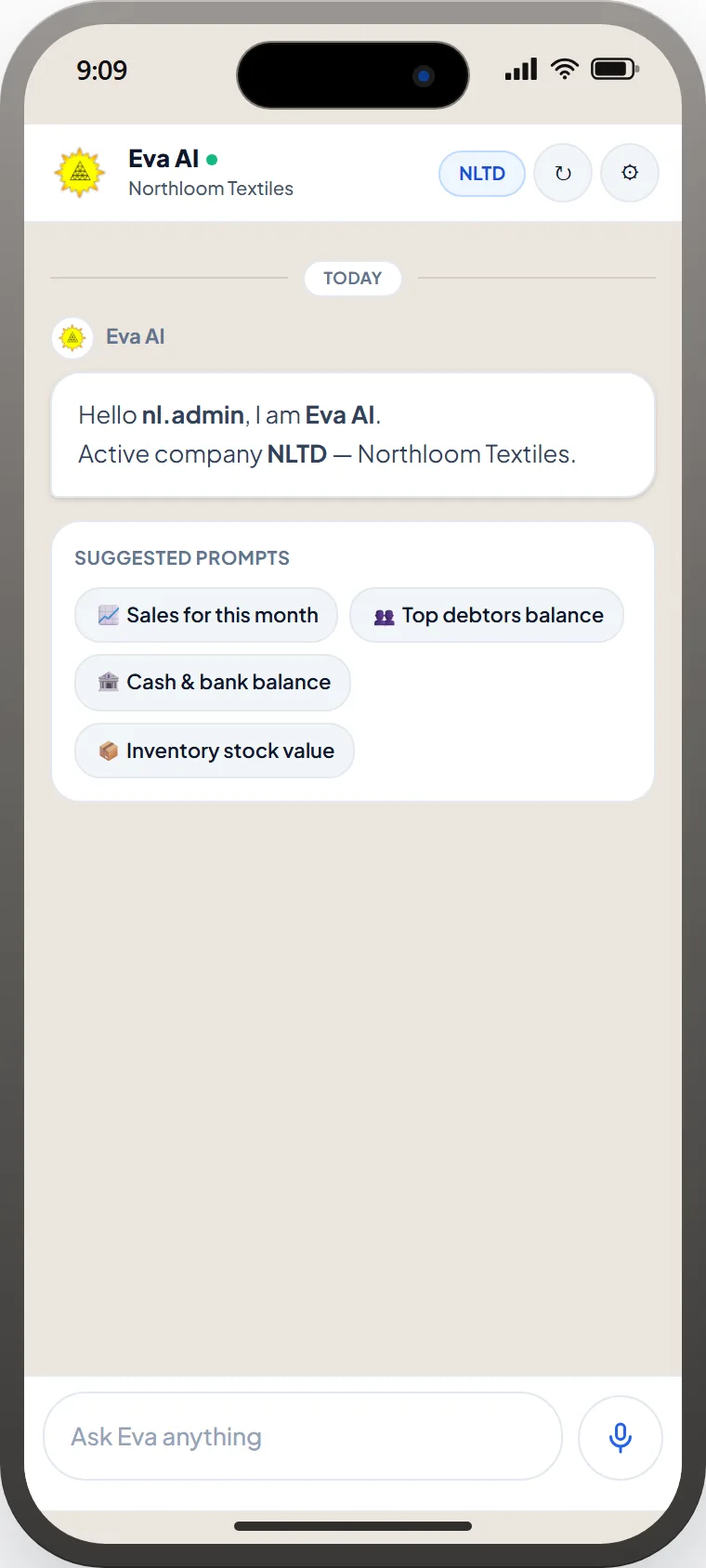
Ask in English
Sales, debtors, cash and inventory for dummy company NLTD · Northloom Textiles.
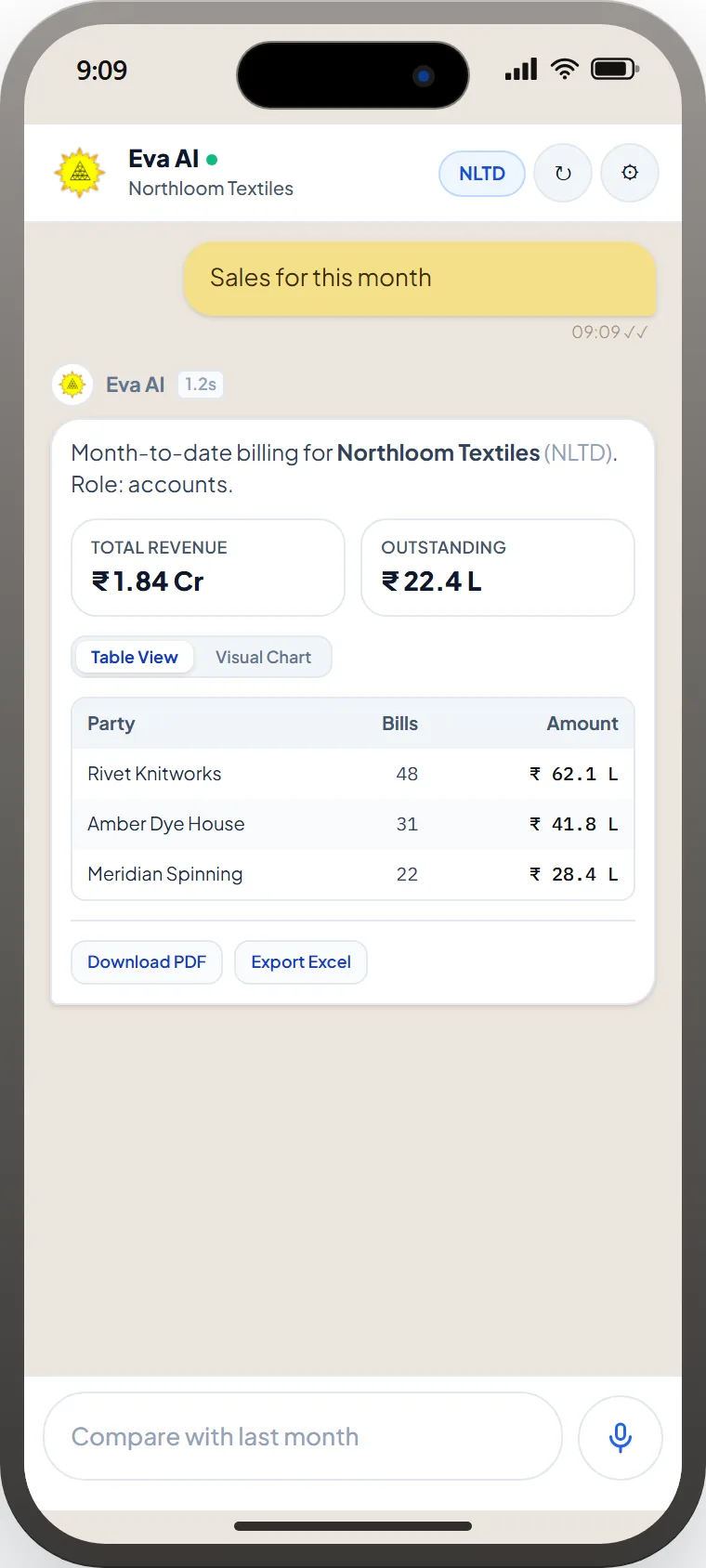
Numbers, then export
Totals for Northloom Textiles (NLTD) within the user's role, as a table or chart, with PDF and Excel export.
How it works
Four moves.One write-back.
- 01
Plan.
The agent names the records and the level of detail, such as job card, lot, machine, or voucher, before it touches data.
- 02
Run.
Queries run as the signed-in role. Hidden companies, branches, and costing stay hidden.
- 03
Repair.
Empty or absurd results trigger a rewrite, not a confident zero.
- 04
Explain.
You get the number, a chart if it helps, and which masters it used.
Eva Mobile
The plant in an iPhone, not a BI ticket.
Same Eva Assistant as the eManage mobile app: plain-English questions, KPI cards, tables, charts, PDF and Excel — role-aware. Shots use a dummy company (NLTD · Northloom Textiles).
Eva AI
Northloom Textiles
09:09 ✓✓
Month-to-date billing for Northloom Textiles (NLTD). Role: accounts.
Total Revenue
₹ 1.84 Cr
Outstanding
₹ 22.4 L
Inside eManage ERP
Live tables. Same permissions.
Eva AI reads the same production, stores, and accounts data the rest of eManage uses, not a copy that goes stale overnight.
- Rejection register, job cards, and routing in one question
- Citations back to module and master
- Optional export to the report formats supervisors already file
Questions plantsactually ask.
No. It inherits the signed-in user's roles, branches, and costing rights.
The agent re-plans with a different date range or master, or asks a clarifying question, instead of returning an empty table.
Default is read. Writes, if enabled, are proposals through existing eManage approvals.
Yes. Answers can come back as charts with the level of detail named.
What could your plantrun better?
Eva AI turns plain-English questions from engineering plants, such as rejection by operation or pending OEM schedules, into permission-aware queries over live eManage tables and returns numbers, charts, and an explanation.
Ask a plant question →Next